Loading…
This page hasn't been translated yet, so for now it is shown in Portuguese. Back to the home page
SequeLariGTA: everything about GTA VI and the GTA series
Right now
What's new
- Loading the latest updates…
Poll of the week
Loading the poll…
Previous polls
Quiz of the day
Loading today's question…
Community board
Open the boardLoading the board…
Current highlights
Trailers and videos
See all trailersLatest news
See all newsThe GTA series
Explore the seriesMaps
See allBlog
See allCommunity
Open the board
Community boardTips, plays and places in Leonida
RankingsThe community's favorites
Streamers and creatorsWho makes GTA content on YouTube
Community videosTrending, live and most viewed
Plays of the monthVote for the community's best
Challenge of the weekSend your play and vote for others
My progressYour launch checklist
All sections
18games in the series
29years since the first GTA
--sourced news stories
--official trailers
News
Only news from official sources (Rockstar Newswire, Take-Two) and trusted outlets, always with the date and source. No leaks.
All news
Official videos
Official trailers and videos
Videos play through YouTube's official player. Nothing loads from YouTube until you click.
Second-by-second breakdown
Every scene with its exact time: tap and the official video opens at that second. What you see is kept apart from community theories, always with a source.
All videos
Official sources only
GTA VI official fact sheet
Every item shows its source and the date we checked it. No source means it stays as "coming soon".
Quick GTA 6 questions Meet the characters Explore Leonida Time in your time zone
Official images
Official gallery
Rockstar Games promotional images, shown from their official sources, with credit and a link to the source.
GTA VI promotional images
The Grand Theft Auto series
Every game in the series, from the first GTA in 1997 to GTA VI. Every fact has a source and a checked date: open "See sources" on any card. Platforms and dates are from the original release.
See the series' interactive history See the map evolution Story timeline Compare games Series encyclopedia
All games in the series
The story of GTA, from start to finish
From the first GTA, in 1997, to GTA VI: every game in release order, split by series era. Scroll the page and the background changes to each game's city. Tap a game to open its page.
Timeline, era by era
- Loading the timeline…
Where GTA has been
Drag the timeline and see, game by game, which cities and states exist in the series: from Liberty City in 1997 to Leonida in GTA VI. Zoom in on the map, tap a spot to see every game set there, watch in Cinema mode, take the 3D Flyover or compare two versions with the divider.
The map, game by game
Loading the map…
Compare two versions
Drag the divider to see the before and after on the same map. The shortcuts show the cities that came back redesigned.
GTA series maps
Pick a game and see its map: from Liberty City in 1997 to Leonida in GTA VI. Each thumbnail is our own art, not to scale, and shows each game's cities where the real places that inspired them are.
Choose the map
Carregando os mapas…
Carregando o mapa interativo…
GTA series vehicles
Cars, motorcycles, planes, helicopters and boats from every GTA, with an in-game image, class and manufacturer. Filter by game, by type, by manufacturer or by name, compare up to three side by side and share the link with your filters.
Loading the vehicles…
Series comparisons
Put two games head-to-head and see, in interactive charts, where the series has been, which consoles each game debuted on, how many protagonists it had and how much time separates the story from the release. All sourced.
Head-to-head
Cities and states
How many games are set in each setting. Tap a setting to see its games, and tap a game to put it in the head-to-head.
Launch platforms
Which devices each game came out on first. Pick a platform to highlight the games that debuted on it.
Protagonists
Years: the story and the release
Each line runs from the year the story begins (●) to the year the game came out (◆). The longer the line, the further back in time the game goes.
The wait between main games
Weapons from every GTA
The series' arsenal, game by game: from the baseball bat in GTA III to the minigun in GTA V. Filter by game, type and era, open each weapon's card and see how the same weapon changed from one game to the next. Rockstar Games images with credit and the source of each list.
Search and filter
Game
Type
Era
The arsenal, game by game
Carregando o arsenal…
Compare weapons across the games
Loading the comparison tool…
Not here yet
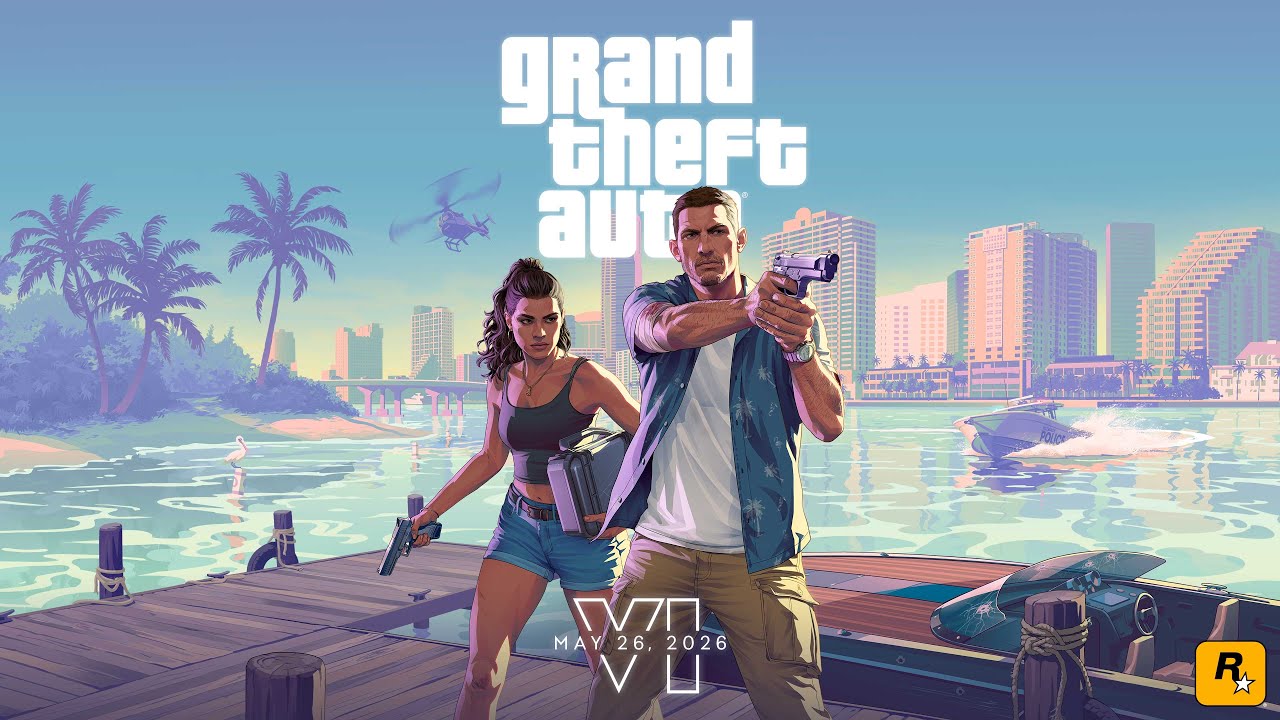
Jason, Lucia and the whole series
Characters of GTA VI and the whole series
Jason Duval and Lucia Caminos up front and, right below, the catalog with the characters of every GTA, with filters by game, type and era. For GTA VI, only what Rockstar has officially shown: no leaks, rumors or guesses about the story.
The duo
Carregando os personagens…
All characters in the series
Protagonists, villains, allies, family and mission givers from every GTA. Filter by game, type and era: the filters stay in the address, so you can send your search to someone. Spoilers stay hidden until you ask.
Loading the catalog…
GTA VI in depth
The story so far
Who's who
Tap a character to see their profile and who they're connected to. Lines only appear when Rockstar itself revealed the connection.
All profiles
Revealed in the game
The supporting characters who only show up in the released game: their role, voice and which chapters they appear in.
Show spoiler: who appears in the story and in which chapter
Cast and voices
Who gives voice and body to the characters of GTA VI, according to the official credits published at launch.
Show the full cast from the credits (the names may hint at who shows up in the story)
Main cast
Supporting cast
Where to see the duo
Still coming soon
The state of GTA VI
Leonida, the state of GTA VI
The regions and places Rockstar has officially shown, explained in plain words. No leaks, no fan-made maps and no guesswork: anything not shown stays as "coming soon".
The state in a few words
Carregando Leonida…
The map, region by region
Tap a region to see what's known about it and the places the community has marked there. Use the filters to highlight city, beach, nature or inland areas.
The six regions
Places mentioned by name
Neighborhoods, bars, motels and other spots that have appeared in official material.
Leonida and the real Florida
Just for fun
Still coming soon
November 19, 2026
How the launch went
The day GTA VI arrived, all in one place: what time the game unlocked in each time zone, when pre-loading opened, the official news from November 18 and 19 and the service status. Only what Rockstar published.
Countdown to unlock
--days
--hours
--minutes
--seconds
Midnight around the world
As Rockstar had confirmed, GTA VI unlocked at midnight on November 19 local time in each region, on PS5 and Xbox. That is why the game opened gradually, from east to west: the local time was the same everywhere (November 19, 00:00); only the Brasília time changed.
Launch timeline
Official news from November 18–19
First steps
Service status
If the game won't open or online goes down, check the official pages. This site doesn't check the status on its own.
Quick questions
Everything with a date
Events calendar
Everything with a date in the GTA world in one place: the GTA VI launch, GTA Online event weeks, Rockstar and Take-Two announcements and the anniversary of every game in the series. Only sourced items get in; add any event to your calendar with one tap.
Carregando o calendário…
O mês
Upcoming events
Mini-game: which came out first?
Guess right and earn XP
Launch predictions
GTA VI is out, but there is still a lot to find out. Make your predictions about trailers, review scores, PC and sales: the answer only shows up here once it comes out from an official or reliable source, and whoever gets it right earns XP and badges. Just for fun: no money, no prizes and no betting.
Show your predictions
Make at least one prediction to create your card.
Badges
The questions
Carregando os palpites…
How it works
- One prediction per question, tied to your anonymous code. You can change it until the question closes.
- Each question has its own closing date. The score ones close before the reviews come out.
- A correct answer only counts for predictions made before the question closed (the server checks the time).
- The answer goes up with a link to the source and the date it was checked. No source, it waits.
- A prediction gives +15 XP; a correct one gives +25 XP and counts toward badges.
Carregando o jogo…
Daily quiz
One question a day about the GTA series, the same for everyone. Answer every day to keep your streak alive, earn XP and unlock badges. The question changes at midnight, Brasília time.
Today's question
Loading today's question…
Last few weeks
got it right got it wrong answered on another device didn't answer
Streak badges
My answers
Community rankings
Which GTA, which protagonist and which radio station does the SequeLari crowd like most? Vote for your favorites, see what got the most reactions this week and, if you want, join the quiz streak and XP rankings. Only your nickname shows, never personal data.
Community favorites
Loading rankings…
Most reactions this week
The news, trailers and games with the most reactions (🔥 😂 😮 👑) in the last 7 days.
Who runs SequeLari
SequeLariGTA blog
Full articles about GTA VI and the whole series, written by our team. Each part of the text shows its sources and the date we checked them. No leaks, no rumors treated as fact, and opinion always labeled.
Featured
All articles
Loading the articles…
Community board
Tips, plays and spots in Leonida sent in by the SequeLari crowd. Everything goes through moderation before showing up here, and anyone can report something that isn't right: after 3 reports, the item is hidden until it's reviewed.
The board, post by post
Loading the board…
More from the community
Vote for the best plays of the month Streamers and creators Best videos of the month
Challenge of the week: send your play and vote
Plays on the board open on YouTube, outside this site. Leonida regions as listed on the official GTA VI website.
Weekly challenges
Um desafio novo toda semana para a comunidade do SequeLari: grave a sua jogada em qualquer GTA, mande o link do YouTube e dispute os votos da galera. De segunda a domingo tem envio; até quarta, a votação final; depois, o pódio fica guardado aqui.
Carregando o desafio da semana…
Participações
Carregando as participações…
Ainda dá para votar
Calendário de desafios
Campeões das semanas
Os desafios são ideias do SequeLariGTA, não eventos da Rockstar. As jogadas abrem no YouTube, fora do site. Horários de Brasília.
Melhores jogadas do mês
As jogadas da galera que passaram pela moderação do mural disputam o pódio do mês. Cada pessoa tem 3 votos por mês e pode trocar até a votação fechar, à meia-noite do último dia (horário de Brasília). Os vídeos abrem no YouTube, fora do site.
Carregando as jogadas…
Todas as jogadas do mês
Galeria dos campeões
Como entrar na disputa
- Grave a jogadaUma fuga, um salto, uma corrida: qualquer jogo da série vale. Suba o vídeo no YouTube (pode ser um Short).
- Mande pelo muralNo community board, escolha "Jogada", o jogo e cole o link. Sem dado pessoal no título.
- Moderação aprovaAssim que entrar no mural, a jogada aparece aqui e disputa o mês em que foi aprovada.
- A galera votaAs 3 mais votadas quando o mês fecha vão para a galeria dos campeões.
Regras da votação
- 3 votos por mês para cada código anônimo do My progress. Dá para tirar um voto e dar para outra jogada enquanto o mês estiver aberto.
- Não vale votar na própria jogada. E nada de robôs: os votos passam pela mesma proteção dos outros envios do site.
- O mês da jogada é o mês em que ela entrou no mural (aprovação da moderação), no horário de Brasília.
- Empate: fica na frente a jogada que entrou no mural primeiro.
- Denúncia: com 3 denúncias, a jogada sai da disputa até a moderação revisar. Veja as community rules.
- Sem prêmio em dinheiro, sem aposta: o prêmio é o pódio e a fama na galeria dos campeões.
Os vídeos são da comunidade e abrem no YouTube, fora do site. As artes dos cartões são do próprio site.
Community videos
Os vídeos de GTA mais assistidos pela galera brasileira no YouTube: o que está em alta, quem está ao vivo agora, os mais vistos de todos os tempos, os novos e os Shorts. O site atualiza as listas sozinho algumas vezes por dia e nada do YouTube toca antes de você clicar.
Loading the videos…
Streamers and creators
Quem faz GTA em português no YouTube: lives agora, últimos vídeos dos canais aprovados e o ranking dos canais. Números públicos do YouTube, atualizados a cada hora.
Dados públicos da API do YouTube. Ao assistir, valem os Termos do YouTube and the Google Privacy Policy. Vídeos dos criadores, não da Rockstar nem do SequeLariGTA.
Melhores do mês pela comunidade
A noite de premiação da galera: os vídeos de GTA em português mais vistos do mês no YouTube e as jogadas do mural disputam quatro categorias. Você tem 1 voto por categoria e pode trocar até o fim do mês.
Abrindo as cortinas…
The categories, one by one
Galeria dos premiados
Dados públicos do YouTube (API de Dados do YouTube), atualizados todo dia. O reprodutor do YouTube só abre no toque. YouTube Terms of Service · Google Privacy Policy.
Moderação
Área da equipe do SequeLariGTA para revisar os envios da comunidade e as denúncias. Entra só quem tem conta SequeLari de moderação (conferida pelo servidor) ou a chave da moderação.
Moderation sign-in
Review queue
How moderation works
Pendentes
Todo envio da comunidade (dicas, jogadas e marcações em Leonida) entra aqui e só aparece no site depois de aprovado.
Denunciados
Envios e apelidos que receberam denúncia, com os motivos. Dá para manter, tirar do ar ou apagar.
Live
Envios aprovados e visíveis para todo mundo. Dá para tirar do ar ou apagar a qualquer momento.
Recusados
O que não entrou ou saiu do ar. Fica guardado: numa segunda olhada dá para aprovar ou apagar de vez.
As decisões seguem as Community rules. Dúvidas sobre dados e privacidade: Privacy and terms.
Loading the secrets…
Loading the stores…
Loading the cast…
Loading the internet of GTA…
Carregando os lugares…
Loading the timeline…
Loading the brands…
Carregando as missões…
Encyclopedia of the GTA series
Protagonists, cities, cars and manufacturers, brands, radio stations and the terms every fan uses, from 1997 to GTA VI. Every entry is written by us, shows its source with the date we checked it and links to the game pages.
Pick a topic
Loading the encyclopedia…
Search the encyclopedia
The entries
Still coming soon
Only things with a reliable source make it into the encyclopedia. These entries arrive once we've checked them:
The series soundtrack
Radio stations of every GTA
Every radio station in the series, with its style, host and track list. Tap a song to listen right here (the artist's official video on YouTube) or “Play the station” to hear the whole station: the player keeps going while you browse the site.
Choose the game
The stations, one by one
Loading the radio stations…
Series tricks
Cheat codes for every GTA
Pick the game and the platform: each code shows what it does, how to enter it (or the buttons, or the in-game phone number) and has a copy button. Use a separate save: some codes disable trophies and achievements.
Choose the game and platform
The codes, one by one
Loading the codes…
What about the other games?
The questions that always come up about cheats in the games and versions that don't have their own list here, each with the answer and the source.
Loading the answers…
GTA Online
O modo online de GTA V virou um mundo à parte, que cresce desde 2013. Aqui está a história inteira das grandes atualizações, onde dá para jogar hoje, como funciona o GTA+ e o que já se sabe sobre o futuro do jogo com a chegada de GTA VI. Tudo com fonte.
The latest update
Ficha, vídeos e curiosidades do GTA Online Central do Online: semana, lives e criadores Events calendar
Atualizações por ano
Cada bloco é uma atualização de conteúdo, na cor do tipo. Toque num ano para ir até ele na linha do tempo.
Linha do tempo das atualizações
Onde jogar hoje
Como o GTA Online funciona
What GTA+ is
GTA Online e GTA VI
Official links
Os eventos e bônus da semana são anunciados pela Rockstar na Newswire e entram no nosso Events calendar. Este site é de fã e não vende GTA$, contas nem serviços dentro do jogo.
Available since 11/19/2026
GTA VI hub
All of GTA VI in one place: the Leonida map, story, missions, characters, vehicles, weapons, radio stations, secrets, videos and news. Every part with sources, spoilers hidden and no leaks.
Loading the GTA VI hub…
Out since 11/19
GTA VI guide
Everything SequeLariGTA has on GTA VI in one place: map, characters, story, missions, vehicles, weapons, radio stations and more. Each part shows what is already live, what is being updated and what is still being built, always with sources and no leaks.
Loading the GTA VI guide…
Leonida's secrets
GTA VI secret locations
Hidden money, code-locked safes, unique weapons, rare cars and easter eggs in Leonida, each with its region, step-by-step and source. Anything that gives away the story stays behind the "Show spoiler" button.
Loading the secret locations…
Leonida's shops and services
GTA VI shops and services
Where to buy clothes, get a haircut, get tattooed, work on your car, buy guns and garages, rob banks and stores, eat and work out in Leonida: each kind of place with what you can do there, the prices the sources give and the list of locations by county.
Loading the services…
Play better in Leonida
GTA VI tips
First steps
- Stash your cash until you have a bank: At first you only carry cash, and dying or getting arrested costs you what's in your pocket. Until the bank account shows up, use the loose-floorboard stash next to the bed in Jason's room.
- Use Focus mode all the time: Press both sticks together. Outside combat you can keep it on freely: it marks enemies in red, objects in yellow and money in green, and shows whether a door opens (white) or has an alarm (red). With a gun drawn, it slows time for a few moments.
- Dark blue on the map means a door: Buildings show in two shades of blue: dark ones have an interior you can enter, light ones are just scenery. Check the minimap behind shops to find hidden rooms and stairs.
- Train Health, Stamina and Focus: Lifting weights raises Health; running, cycling or rowing raises Stamina; fishing or playing pool raises Focus. Health and Stamina drop if you stop training, while Focus gains stay. There are weights right outside Jason's house.
- Make the most of Key Lento before leaving: Red Bull suggests buying a suppressor early at the nearby Ammu-Nation (it's cheap) and doing the local activities, like diving and fishing: driving back to the Keys later takes about 10 minutes.
- There's no fast travel on the map: Your options are the RydeMe app (an extra US$ 100 lets you skip the ride), buses and trains on fixed schedules, or switching characters, who usually waits near the safehouse.
- Scan the car with Waink before taking it: Holding up on the D-pad, Waink shows the car's security system, what it's worth and how much it costs to register. An advanced tracker calls the police if you drive too far.
- Call the mechanic from anywhere: After the mission Just A Scratch, you can call your mechanic and fix your car almost anywhere on the map. It isn't cheap, but it can save an escape.
Money
- Always deposit: Dying or getting arrested costs you your pocket cash. Once the bank account shows up, deposit at an ATM whenever you can.
- Shops with a back door pay more: Almost any shop can be robbed, but it pays little. Those with a back door let you cut the alarm and wipe the cameras; PC Gamer reports US$ 6,000 to US$ 15,000 per shop of this kind once you have the lock-pick gun.
- Rob whoever is robbing: Follow sirens, alarms and gunshots: it's often another criminal mid-robbery, and you can take their bag. PC Gamer reports US$ 1,000 to US$ 15,000 per bag.
- Stolen cars for Moses: From chapter 2, the mechanic Moses buys cars without a tracker: VGC reports US$ 1,000 to US$ 5,000 per car. He waits a while between purchases, and sleeping at the safehouse resets that wait.
- Gang stashes: They show on the map with a yellow icon and hold cash, drugs and valuables. They pay well, but call for a heavy firefight or a lot of stealth.
- Banks only with the dye-pack blocker: Banks and loan stores are the top tier. Without the dye-pack blocker, which you get in a mission, the dye bursts and ruins the cash.
Police and wanted level
- Crimes have to be reported: The police only come if someone reports it: a witness, an alarm or a stolen car's tracker. No report, no stars.
- Read the stars: There are six stars. Hollow ones mean the police don't know who did it yet; flashing ones mean they've lost sight of you. After you escape, a "heat" area stays on the map: being spotted there brings the stars back.
- The red icons show what gives you away: Under the stars you see what the police have on you: appearance, outfit, vehicle, visible weapon, the duo together and the cameras. Swap the accessory or haircut, change clothes (you can keep a spare outfit in the trunk), respray or swap the car, holster the gun and split Jason and Lucia up.
- Cameras: wipe the footage: Regular footage can be destroyed on site. Cloud camera footage can't, and an alarm eventually goes off: prefer areas with fewer cameras.
- Mask before, shower after: Put the mask on before the crime and take it off out of the police's sight. Blood and dye stains also help them recognize you: a shower at the safehouse fixes that.
- Hide and don't escalate: Break line of sight through alleys and side streets; in a parked car, hold Circle (PS5) or B (Xbox) to duck, and in the countryside bushes help. Killing cops only escalates the response. Police don't show on the minimap: use Focus to see where they are.
- Sniffer dogs don't give up: When the police call in the K9 unit, the dogs track you relentlessly: don't sit still in a hiding spot, keep moving until you're out of the area.
- Tires, helicopters and Pay 'n' Spray: Shooting the tires slows the chase, and the helicopter may back off if it takes fire. Pay 'n' Spray changes the car's color, but it may refuse some vehicles depending on the tracker installed.
- Six stars are a one-way trip: Reaching six stars takes a lot of destruction, and then the police and the military won't stop until they get you: according to Red Bull, the only way out is busted or wasted. An area's heat cools off gradually, but it takes time; avoid going back there.
- Wasted or busted?: You lose your pocket cash, pay a small BuckMe fee and lose any weapons you didn't buy. Weapons you own come back through your car's trunk or an Ammu-Nation locker.
Settings worth changing
- Motion blur down to zero: Under Display, drag the motion blur strength down to 0: the picture stops smearing in fast camera turns and at high speed.
- Camera without shake: In the Camera tab, turn off camera shake and set the crash camera to its lowest before your first long drive. The kill cam can stay, or be turned down if it breaks up shootouts too much.
- Pick your aiming type: The default is Partial, which slows the reticle near enemies. Lock-On snaps to the target, and Free Aim turns assistance off. Strength goes from 0 to 4: high with Partial for steadier tracking, 0 for raw aiming.
- Keep Quick Draw on: With Quick Draw, holding aim and fire pulls out your last-used weapon without opening the loadout. For fully manual combat, also turn off shooting assist and drive-by assist.
- Move at a jog: Under Gameplay, set movement speed to Jog: that way you don't have to keep clicking the left stick to move faster. Combat has its own movement speed setting.
- Subtitles for everything and louder dialogue: Switch subtitles from "mission only" to on before the first mission (you can enlarge them and add a background) and keep dialogue volume above music and effects, so you don't miss street conversations.
- Streaming? Mute licensed music: The mute licensed music option is there for streaming or recording: turn it on then, and off when you're playing on your own.
- Minimap with compass: Under UI → Navigation, KeenGamer suggests "Minimap and Compass (Dynamic)" for a first playthrough; if you keep losing the route in chases, use "Always On".
- No performance mode: tune your TV: The game runs locked at 30 frames per second on every console, with no graphics modes; on PS5 Pro the improvements apply automatically. On your TV, use Game mode, turn off motion smoothing and run the game's HDR calibration.
Fighting, stealth and driving
- Hold to block, tap on time to counter: In a fight, holding X (PS5) or A (Xbox) blocks. Pressing the same button just before a hit lands counters or dodges. To lock on and strafe around your opponent, hold L2/LT.
- Grapple and pin: Holding R2/RT grapples your opponent. While grappling, a tap of Square/X lands a follow-up and holding it puts them in a vulnerable position.
- Silent takedowns from behind: Crouched (Circle/B), sneak up behind an enemy, hold R2/RT to grab them and tap Square/X to take them down without firing a shot.
- Whistle to lure a guard: While looking at an enemy, hold L2/LT to whistle: they'll come to check and you can wait in hiding to take them down. Bottles and other objects can be thrown with R2/RT.
- Grenades without opening the loadout: While aiming, hold R1/RB to throw your last equipped explosive. Holding R2/RT with a grenade in hand pulls the pin so you can cook it before letting go, and D-pad right detonates explosives you've planted.
- Bail out with the engine running: Two quick taps of Triangle/Y make you jump out of the vehicle, which keeps rolling if it's moving fast. Holding Triangle/Y stops the car before you get out.
- Radio, headlights and windows in one menu: In a vehicle, hold D-pad left to open the vehicle menu (radio, headlights, windows and more) and pick with the right stick. D-pad down shows the vehicle's stats on screen.
- Car flipped? Shove it: On foot, hold Square/X at the front or back of a car to shove it hard and even flip it back onto its wheels. L1/LB at the hood checks the engine, and on a car that isn't yours holding Square/X clears out the trunk.
Default controls
On foot
- Run — PS5: L3 (click); Xbox: left stick (click)
- Jump and climb — PS5: X; Xbox: A
- Crouch — PS5: Circle; Xbox: B
- Take and leave cover — PS5: R1; Xbox: RB
- Interact — PS5: Triangle; Xbox: Y
- Focus mode — PS5: L3 + R3; Xbox: both sticks
- Map — PS5: touchpad; Xbox: View
- Phone — PS5: D-pad up; Xbox: D-pad up
- Waink app — PS5: hold D-pad up; Xbox: hold D-pad up
- Rest — PS5: hold Circle; Xbox: hold B
- Talk to someone (looking at them) — PS5: hold L2; Xbox: hold LT
- Scan a vehicle (with Waink open) — PS5: hold R1; Xbox: hold RB
- Check the engine (at the hood) — PS5: L1; Xbox: LB
- Shove or flip a car back over — PS5: hold Square; Xbox: hold X
- Radio menu (on foot, swimming or parachuting) — PS5: hold D-pad left; Xbox: hold D-pad left
Weapons and fighting
- Aim — PS5: hold L2; Xbox: hold LT
- Shoot — PS5: R2; Xbox: RT
- Shoot from a vehicle — PS5: R1; Xbox: RB
- Weapon and item loadout — PS5: hold L1; Xbox: hold LB
- Quick weapon swap — PS5: Triangle; Xbox: Y
- Melee (hold for a heavy attack) — PS5: Square; Xbox: X
Driving
- Accelerate — PS5: R2; Xbox: RT
- Brake and reverse — PS5: L2; Xbox: LT
- Handbrake (hold in fast turns) — PS5: X; Xbox: A
- Duck in a parked car — PS5: hold Circle; Xbox: hold B
- Horn or nitrous — PS5: L3 (click); Xbox: left stick (click)
- Vehicle menu (radio, headlights, windows) — PS5: hold D-pad left; Xbox: hold D-pad left
- Vehicle stats on screen — PS5: D-pad down; Xbox: D-pad down
- Draw sidearm — PS5: L1; Xbox: LB
- Select vehicle weapon — PS5: hold L1; Xbox: hold LB
- Hit with the door or kick (bikes and scooters) — PS5: Square; Xbox: X
- Yell at pedestrians and drivers — PS5: R3 (click); Xbox: right stick (click)
- Exit vehicle — PS5: Triangle; Xbox: Y
- Stop, then exit — PS5: hold Triangle; Xbox: hold Y
- Jump out with the engine running — PS5: Triangle twice; Xbox: Y twice
Melee and stealth
- Lock on and strafe — PS5: hold L2; Xbox: hold LT
- Grapple — PS5: hold R2; Xbox: hold RT
- Follow-up attack (while grappling) — PS5: Square; Xbox: X
- Put in a vulnerable position (while grappling) — PS5: hold Square; Xbox: hold X
- Block — PS5: hold X; Xbox: hold A
- Counter or dodge (just before a hit) — PS5: X; Xbox: A
- Grab from behind (sneaking up) — PS5: hold R2; Xbox: hold RT
- Stealth takedown (while grabbing) — PS5: Square; Xbox: X
- Whistle to lure (looking at an enemy) — PS5: hold L2; Xbox: hold LT
- Throw an object (bottle, etc.) — PS5: R2; Xbox: RT
Aiming and explosives
- Zoom or throw path — PS5: R3 (click); Xbox: right stick (click)
- Scope zoom in and out — PS5: D-pad up and down; Xbox: D-pad up and down
- Switch shoulder — PS5: D-pad left; Xbox: D-pad left
- Detonate explosives — PS5: D-pad right; Xbox: D-pad right
- Quick throw of the last explosive — PS5: hold R1; Xbox: hold RB
- Pull the pin and cook the grenade — PS5: hold R2; Xbox: hold RT
- Holster weapon — PS5: L1; Xbox: LB
- Look behind — PS5: hold R3; Xbox: hold right stick
- Inspect surroundings — PS5: L2 + R3; Xbox: LT + right stick
Bicycle
- Pedal — PS5: R2; Xbox: RT
- Brake and reverse — PS5: L2; Xbox: LT
- Sprint — PS5: X; Xbox: A
- Bunnyhop — PS5: Circle; Xbox: B
- Bell — PS5: L3 (click); Xbox: left stick (click)
- Kick — PS5: Square; Xbox: X
Swimming and diving
- Swim faster — PS5: L3 (press or hold); Xbox: left stick (press or hold)
- Dive deeper — PS5: hold R1; Xbox: hold RB
- Surface — PS5: X; Xbox: A
- Aim or strafe underwater — PS5: hold L2; Xbox: hold LT
- Dive in with a trick (at the edge) — PS5: hold X; Xbox: hold A
Plane, helicopter and parachute
- Plane: throttle up and down — PS5: R2 and L2; Xbox: RT and LT
- Plane: yaw left and right — PS5: Square and Circle; Xbox: X and B
- Plane: landing gear — PS5: L3 (click); Xbox: left stick (click)
- Helicopter: climb and descend — PS5: R2 and L2; Xbox: RT and LT
- Helicopter: turn left and right — PS5: Square and Circle; Xbox: X and B
- Open parachute — PS5: X; Xbox: A
- Parachute: brake left and right — PS5: L2 and R2; Xbox: LT and RT
- Detach parachute — PS5: Triangle; Xbox: Y
Sources: VGC: GTA 6 beginner's guide (Jordan Middler, 18/11/2026), Red Bull: GTA 6 beginner's guide (Phil Briel, 19/11/2026), VGC: How to make money in GTA 6 (Jordan Middler, 19/11/2026), GTABase: How To Make Money In GTA 6 (20/11/2026), PC Gamer: GTA 6: The fastest ways to make money (Christopher Livingston, 18/11/2026), GTABase: GTA 6 Wanted Level Explained (21/11/2026), Dexerto: How to lose the police in GTA 6, GTABase: GTA 6 Controls Guide, PS5 & Xbox (22/11/2026), KeenGamer: Best GTA 6 Settings to Change First (Rafly Wibowo, 18/11/2026), Red Bull: GTA 6 Wanted and Heat levels (Chris Jecks, 19/11/2026), Rockstar Games Support: How to change Grand Theft Auto VI settings (18/11/2026) · checked on 23/11/2026
First steps, money, how to shake off the police, the PS5 and Xbox controls and what to change in the settings. Every tip with its source, no story spoilers.
Loading the tips…
Chapter by chapter, no spoilers in sight
GTA VI story
The prologue and the five chapters of Jason and Lucia's story, with each one's missions, who you control, the characters and the endings. Every summary stays hidden: you only open what you've already played.
Carregando a história de GTA VI…
GTA Online, lives e criadores
Online hub
Tudo o que acontece agora no mundo online de GTA num lugar só: a semana do GTA Online, as lives ao vivo, os streamers e criadores, as competições da semana e os canais oficiais para acompanhar o jogo. Sempre com fonte.
GTA Online
Esta semana no GTA Online
Loading…
Right now
Live now
Lives de GTA em português que o nosso coletor achou no YouTube na última hora. Conteúdo de criadores é para maiores, como o jogo: o aviso aparece antes de tocar.
Carregando as lives…
Lives do Vitor coming soon
As lives do Vitor, dono do SequeLari, vão aparecer aqui com o horário e o link do canal assim que ele confirmar o endereço.
Community
Streamers and creators
Loading…
Competição
Campeonatos e torneios
No GTA Online, a disputa oficial acontece toda semana dentro do jogo. Estes são os modos que valem prêmio:
Campeonatos oficiais
Loading…
Torneios da comunidade SequeLari
Mande a sua jogada pelo link do YouTube e dispute com a comunidade, com votação e moderação.
Weekly challengesMelhores jogadas do mêsBest videos of the month
Linha do tempo
Últimas atualizações do GTA Online
- Loading…
Fique por dentro
Acompanhe o jogo
Questions and answers
GTA 6: questions and answers
The most searched questions about GTA VI, on sale since 11/19/2026, with the direct answer at the top, the explanation, the source and the date we checked it. Anything Rockstar has not announced yet is marked “not announced yet”, never as a guess.
Answers in 10 seconds
Loading the answers…
Find your question
My progress
No sign-up, email or password. Your progress is saved in this browser. To take it to another device, sign in with the SequeLari code: the same anonymous code works on every SequeLari site.
Your account
SequeLari code
A single anonymous code for all of SequeLari: the same one works here, on SequeLariFN, on Fliperama and on the dashboard. No name, email, password or phone.
Checking your SequeLari account…
Everything you mark here stays saved in this browser, with or without an account. Account number, day streak and signing out of this device are also in SequeLari account.
Background theme
Current theme: Automatic. Escolha o cenário de uma versão do GTA para o fundo de todas as páginas.
Profile, XP and badges
My anonymous profile
No nickname
Choose your avatar
Nickname (optional)
Make up a nickname: no real name, phone, email, address or social media. Swearing and insults don't get past the filter.
How to earn XP
Each action counts only once (visits, once a day). Unchecking doesn't remove XP, and checking again doesn't add more.
Levels
Latest XP earned
Your profile is saved in this browser. The SequeLari code (above) is what takes you to other devices and to the other SequeLari sites.
My badges
Achievements for playing the series, exploring the site and taking part in the community. Tap a badge to see how to earn it. Once earned, it's yours to keep.
Badges are calculated in this browser from what you've marked (games, launch checklist and profile XP).
Your lists
First steps in GTA VI
My games in the series
Mark "Played", "Finished" or "Want to play" on each game's page. It's saved in this browser.
What's new on the site
Everything that went live on SequeLariGTA, newest first: news, new pages and features. Whatever arrived after your last visit gets the “new for you” tag, and returning visitors see a summary in a strip at the top.
Everything that went live
Loading the latest updates…
How the “new for you” badge works
The date of your last visit stays only in this browser (nothing goes to the server). A new visit starts when you come back after 30 minutes without opening the site.
Privacy and terms of use
Updated on Nov 7, 2026 (single code and SequeLari assistant).
Who we are
SequeLariGTA is an informational, unofficial fan site about Grand Theft Auto VI. It is not affiliated with, sponsored or endorsed by Rockstar Games or Take-Two Interactive. Grand Theft Auto, GTA and related trademarks belong to their owners.
SequeLari single code
SequeLariGTA is part of the SequeLari ecosystem, at sequelarifn.com.br. There is a single anonymous code that works on every site (dashboard, SequeLariFN, Fliperama, SequeLariGTA and the ones to come). The GTA site has no account, login or code of its own: the code is created and checked on SequeLari's Account page.
- No personal details. The code is a random sequence. We don't ask for a name, e-mail, phone number or password, and the SequeLari server only stores a cryptographic hash of the code, never the code itself.
- How you stay signed in. When you sign in with the code, SequeLari stores a session cookie for its own domain in your browser (essential, protected from scripts and with no tracking). That cookie keeps you signed in on every SequeLari site. When you tap "Sign out", the cookie is deleted and whatever is in this browser stays here.
- The account number. The account has a number, shown only to you in the code box and on Account. It doesn't give access to anything: without the code, nobody can get into your account. So keep the code safe and don't show it to anyone; you can give the number to support if needed.
- What SequeLariGTA stores in the code (in the "gta" part of the account, up to 8,000 characters, separate from what the other sites store):
- the launch prep list ("before you play" checklist);
- the games in the series you marked as "Played", "Finished" or "Want to play";
- the anonymous profile: optional (filtered) nickname, avatar picked from the site's drawings, XP and level;
- badges and the dates they were earned;
- the daily quiz and the day streak;
- the result of the "Which Leonida region are you?" quiz;
- your launch predictions and poll votes;
- favorites (GTA, character and radio station) and your reactions;
- videos saved in "Watch later";
- your calendar choices (hidden event types and your record in the calendar game).
- In SequeLariGTA's database (votes, reactions, predictions, favorites, rankings, board and moderation), a person is identified only by a cryptographic hash of the account number, made just for this site. The plain number and the code are never stored in our database.
- The old GTA- code. Before the single code, SequeLariGTA had its own code
GTA-XXXX-XXXX-XXXX-XXXX. Anyone who used that code and signs in with the SequeLari code gets their old progress merged into the account once (nothing is lost and no vote counts twice). After that, the GTA- code stops working and is removed from the site. - To delete. What's in this browser goes away with the "Delete my progress from this browser" button, at the end of this section. To delete what the GTA site stored in the account and in our database, write to the contact with your code (don't send the code in a public message).
SequeLari assistant ("Ask" button)
In the bottom-left corner of the pages there's the "Ask" button, the SequeLari ecosystem's artificial intelligence assistant. It's the same on every site and doesn't belong to SequeLariGTA: it's run by the SequeLari dashboard server, at sequelarifn.com.br. It suggests questions about GTA when you're on these pages.
- Only when you use it. Nothing is sent until you open the assistant and write a question.
- Where the question goes. The text you write goes to Cloudflare's artificial intelligence (the same company that hosts this site), only to generate the answer. The conversation isn't stored.
- No personal details. The assistant doesn't ask for your name, e-mail, phone number or SequeLari code. Don't write any of that in your questions.
- The AI can make mistakes. Answers are generated automatically and may be wrong or out of date. Before trusting dates, prices or GTA VI details, check the site's pages, which always show the source and the date it was checked.
- It isn't official support. The assistant doesn't speak for Rockstar Games or Take-Two. For problems with the game or your Rockstar account, use Rockstar's official support.
Data we collect (LGPD, Brazil's data protection law)
- We don't ask for a name, e-mail, phone number, password or social media login.
- We don't use tracking cookies or personalized advertising.
- We don't store your IP address.
- Your progress stays in your browser. If you sign in with the SequeLari code, it also goes to your account, as explained above in "SequeLari single code". Not even we can see the code.
- In the items below, "code hash" means the cryptographic hash described above: that of the SequeLari account number or, only until the merge, that of the old GTA- code.
- You can use the same anonymous SequeLari code here (SequeLariFN's FN- code). The rule is the same: we only store the cryptographic hash of the code and this site's progress, separate from the other sites' progress. When the site is on sequelarifn.com.br, it reads the SequeLari code stored in this browser only to offer the "Use my SequeLari code" button; nothing is sent without your tap.
- The anonymous profile (optional nickname, avatar picked from the site's own drawings, XP and level) follows the same rule: it stays in the browser and only goes to the cloud together with your progress, linked to the code hash. The nickname goes through a filter that blocks real names, phone numbers, e-mails, links and swearing. The nickname is only shown to other people if you ask to join the community rankings.
- The badges and achievements in My progress are calculated in your browser from what you've marked. Nothing new is sent: only the date you earned each one is stored in this browser.
- Reactions (🔥 😂 😮 👑) on news, trailers and games count one per anonymous code per item. The database only stores the code hash, the item, the reaction and the time; the count shown is just the total of each reaction, without saying who reacted. To prevent abuse, each code has a limit of changes every 10 minutes, without storing IP addresses.
- The poll of the week counts one vote per anonymous code per poll. The database only stores the code hash, the poll, the chosen option, how many times the vote was changed and the time; the result only shows the percentage and the total number of votes, without saying who voted for what. It's just for fun: no money, no prizes and no betting.
- Launch predictions store one prediction per anonymous code per question: the code hash, the question, the option, how many times it was changed and the time (to check it was made before closing). The page only shows the percentage for each option, never who predicted what. No money, no prizes and no betting.
- The daily quiz stores your answers in this browser (the day, the question and the chosen option). The anonymous profile only gets the days you answered, the days you got it right and the streak badges, and that goes to your SequeLari account together with the profile if you sign in with the code. Nobody else sees your answers. It's just for fun: no money, no prizes and no betting.
- The community rankings count one vote per anonymous code for each favorite (GTA, character and radio station), storing only the code hash, the option, how many times it was changed and the time; the page only shows the totals. The reactions ranking only shows the totals per item. The quiz streak and XP rankings only show people who tap "I want to appear": then the nickname (which goes through the filter), avatar, level, XP and day streak become visible to everyone, never the code. You can leave at any time, and the nickname disappears right away.
- To show what's new since your last visit, the site stores in this browser only the time of your last visit and which updates you've already seen or dismissed. This is never sent to the server.
- Against bots and fake votes, submissions (reactions, votes, predictions, favorites, progress and profile) go through Cloudflare Turnstile, Cloudflare's "I'm a person" check (Cloudflare already hosts this site). Most of the time it's invisible; sometimes it asks for a click. Its script only loads when you send something. After that, the site stores a pass valid for 6 hours in this browser, linked to your anonymous code. We don't store IP addresses and we don't send your IP along with the check; Cloudflare handles the check data under its own privacy policy. Each code also has a submission limit every 10 minutes.
- The community board stores each post (type, game, title, text, YouTube video link and the nickname you had already chosen) linked only to the hash of your anonymous code. Nothing appears without going through moderation, and the filters reject personal details, links and swearing. Reports store the code hash of whoever reported, the item, the reason and the time, one per person per item. To delete one of your posts, write to the contact with your code.
- In the best plays of the month, each vote stores only the hash of your anonymous code, the play number, the month and the time; the page only shows the totals. Votes can be withdrawn while the month is open.
- In the best of the month, each vote stores only the hash of your anonymous code, the category, the nominee, the month and the time. The videos are public YouTube data, updated or deleted within 30 days; the player only loads when you tap.
- Right now the site shows no ads or affiliate links. If that changes, this page will be updated first, ads will always be non-personalized (without using anyone's profile, as Brazil's ECA Digital law requires), marked “Advertising”, and affiliate links will come with a notice.
- We measure visits with Cloudflare Web Analytics, which uses no cookies and doesn't identify people.
- In streamers and creators, only public data from the YouTube channels (name, photo, subscribers, videos), deleted after 29 days without an update.
- YouTube videos only load when you click to watch. From then on, YouTube's rules apply.
- In Community videos, the lists come from the site's own copy (only public video and channel data, refreshed within 30 days); thumbnails and channel photos come from YouTube; "Watch later" stays only in the browser.
- Official images are shown from Rockstar's and YouTube's servers.
To delete the progress in this browser, use the button below. To delete what's in your SequeLari account and in our database, write to the contact with your code.
Children and teenagers (ECA Digital, Brazil)
GTA VI is a game rated for adults. This site shows no explicit content, collects no one's data and has no targeted advertising.
Terms of use
- The information comes from official sources and trusted outlets, always cited. It may change without notice. Check the original source before buying anything.
- We don't publish leaks, extracted files or rumors as if they were facts. When a rumor appears, it will carry the "rumor" label and its source.
- Images and videos belong to Rockstar Games, credited and linked to the source. The mascot art, background scenes, signs and icons are our own, drawn for this site.
- The site's fonts are the same as the whole SequeLari ecosystem's: Big Shoulders Display, Figtree and DM Mono (free SIL Open Font License), served by the site itself, without Google receiving data about visitors. See the license.
- The account and the code belong to the SequeLari ecosystem and work on all of its sites. You're the one who keeps the code: without it, the account can't be recovered on another device.
- Everything the community sends to the board goes through moderation before showing up, and anyone can report what's up. See the community rules.
Contact
Community rules
Updated on Nov 7, 2026. They apply to reactions, polls, predictions, rankings, nicknames and everything the community sends in.
In 10 seconds
Flamí's summary, in 10 seconds
This is the place to talk GTA, laugh, vote and argue about which Vice City is the best. Be nice, don't share anything about yourself and don't try to outsmart the system. The rest is detail.
What is and isn't allowed
Allowed (and we love it)
- React, vote and predict as much as you like. One vote per code in each poll, prediction or favorite. Changed your mind? You can switch (within a limit, so nobody keeps switching nonstop).
- A creative nickname. A pun, a nod to the series, a flamingo name… all fine, as long as it isn't your real name.
- Disagree with respect. Thinking San Andreas is better than GTA V (or the other way round) is a sacred right. Attacking people who disagree is not.
- Theories, with the right label. You can imagine what's coming, but a theory is a theory. Here, a fact needs an official source or a trusted outlet.
- Share your cards from the quiz, predictions and favorites with your friends.
Not allowed (five-star wanted level)
- Personal details, yours or anyone else's. No full names, phone numbers, e-mails, addresses, schools or social media profiles. The nickname filter blocks what it recognizes; whatever slips through, we remove.
- Insults and prejudice. Swearing, name-calling, or nicknames that humiliate someone or attack groups of people are out.
- Bots and mass voting. Scripts, multiple codes to boost an option or automated submissions. Submissions go through a Cloudflare check and have a limit per code; bot votes don't count.
- Pretending to be someone you're not. Nicknames pretending to be Rockstar, Take-Two, the site team or another person.
- Leaks. Extracted files, leaked material or rumors told as if they were fact. That doesn't get in here, no way.
- Scams and suspicious links. "Free GTA VI", account sales, in-game money, "free keys" and the like. Reminder: this site never asks for a password, card, bank transfer or payment.
- Piracy and cheating online. No pirated games, and no cheats that ruin other people's matches.
- Explicit content. GTA is a series for adults, but this site doesn't publish anything explicit.
What if someone breaks the rules?
- The filter instantly blocks nicknames with swearing, phone numbers, e-mails or that look like a real name.
- The check and the limits hold back bots: submissions without confirmation don't get in, and anyone over the limit waits a few minutes.
- Moderators decide the rest. Nicknames can be removed from the rankings and bot votes can be thrown out. When the community can send tips and videos, everything will go through moderation before showing up, and each item will have a "Report" button.
For anyone under 18
GTA is a series rated for adults. If you're younger and you're here, remember: never say who you are, where you live or go to school, and never arrange to talk to strangers outside the site. There's no chat or messaging between users here, on purpose.
Found something wrong?
Write to the contact listed in Privacy and terms and say where the problem is. Don't send personal details in the message.
These rules complement the terms of use. SequeLariGTA is an unofficial fan site.

This road leads nowhere
Flamí drove all over Leonida and couldn't find this page. Maybe the address changed, has a typo, or the page doesn't exist yet. Pick a route below to get back in the game.
Were you looking for…
Where to go
Back to the home page All games in the series GTA VI news Explore Leonida